
Guide
How to Install ROS Legacy on Android: Download, Install, Account, Drop
The full install route for ROS Legacy: file checks, the Android permission, the Mirae Labs account step and your first settings pass.
CONTENTS On this page
The whole journey takes a few minutes, and one step of it is new to this revival, so follow the order below exactly. Start with the verified file from ROS Legacy APK and you will be on the plane shortly.
Download and install
Download the file and compare its size with the details table on the homepage: 108.2 MB, no exceptions. A short file is a broken download and will never install. Open the full file, allow installs from your browser when Android asks, and tap Install. The game itself is light and the install is quick.
The account step
Before your first match, the game asks for a free Mirae Labs account. It is an email and a password, with no verification step, and it holds your progress and settings across devices. Create it carefully: this account is your identity in the revival, so use an email you actually control.
Check your phone before you tap install
Two quiet checks save most failed installs. First, storage: the file itself is 108.2 MB, and the game needs working room beyond it, so clear a comfortable margin before you start rather than gambling on the last megabytes. Second, the connection: fetch the file on Wi-Fi or a steady signal, because a download that stalls halfway is the single most common reason the installer refuses a perfectly good build. If you have not saved the file yet, the download page carries the verified build with its full size and version details. While the file comes down, close the heavy background apps your phone has been hoarding. The install itself is quick, and a calm phone makes it quicker.
Before your first drop
Spend two minutes in settings while they are free: controls and graphics are adjustable before a match, so set your button layout and quality now rather than under fire. Our settings guide has the layout our reviewer uses, and the beginner guide plans your first three matches. Four steps, done once, and ROS Legacy is simply part of your phone.
Your first ten minutes after install
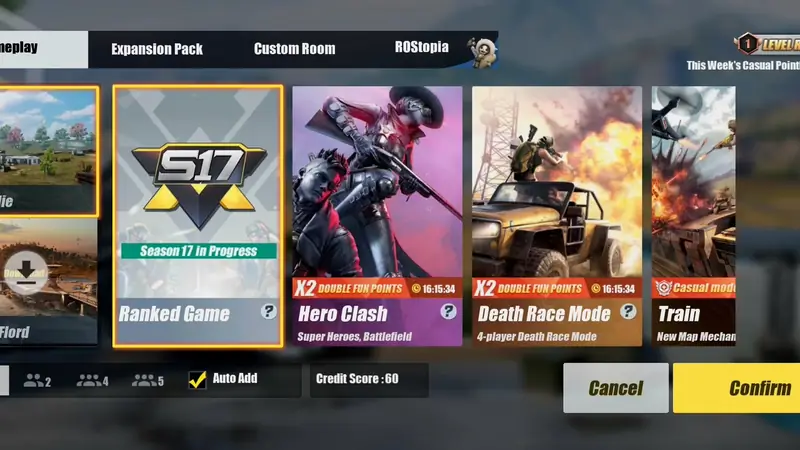
Once you are in, resist the plane for ten minutes. Create the account first, slowly, because that login is what carries your progress between phones; the Mirae Labs account setup guide walks through every snag readers hit on that screen. Then open the mode select and simply look at it: both maps, every returning mode, the ranked panel. Set your controls and graphics while nothing is shooting at you, since both are adjustable before a match and almost impossible to fix during one. When the lobby feels familiar, our ROS Legacy beginner guide turns those ten calm minutes into a three-match plan that teaches the island in the right order.
The install is the easy part
Players remember the revival for its drops, not its installer, and that is the point of doing these steps properly once. A verified file, a calm phone and a carefully made account turn ROS Legacy into a game that is simply there when you want it, updated and signed in. Every later guide on this site assumes this foundation, because every problem readers send us traces back to one of these first minutes. Get them right and ROS Legacy never asks you to think about them again.
Quick Answers
Why does the game need an account?
Your progress, settings and identity are stored against a free Mirae Labs account so they survive updates and device changes.
Can I play as a guest instead?
The game asks for the account before playing. It takes a minute and needs no email verification.
The install failed. What is the first check?
File size. If the download is not the full 108.2 MB, fetch it again on a steadier connection.